Speaker Timing Made Easy: Best Practices for Using a Timer for Presentations
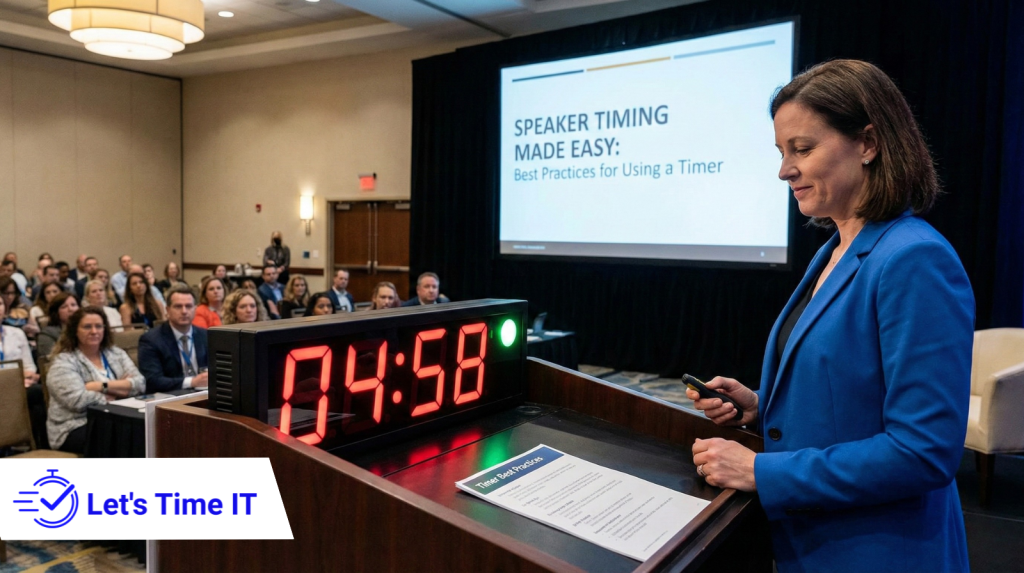
Speaker Timing Made Easy: Best Practices for Using a Timer for Presentations
Managing speaker timing is one of the biggest challenges in conferences, webinars, and large-scale events. Whether it’s a keynote session, a panel discussion, or a training webinar, organizers need a reliable way to help speakers stay on track without interrupting the flow. This is where structured timing becomes essential, especially when using a webinar timer or a system designed to provide a clear countdown timer for presenters.
Understanding how tools and methods work along with the perspective of platforms like Let’s Time IT helps organizers manage timing across sessions effectively.
In this blog, we explore the best practices for using a timer for speakers, ensuring that events run smoothly, speakers feel confident, and audiences remain engaged. We also discuss how organizers approach timing across meetings, conferences, and webinars, especially when handling multiple sessions at scale.
Why Timing Matters More Than Ever in Modern Events
Over the years, event formats have evolved. Audiences today expect crisp, well-structured sessions that respect their time. This shift makes timing an irreplaceable part of event operations.
In physical conferences, poor timing can delay entire event tracks. In virtual settings, it can cause attendee drop-offs, lower engagement, or create technical gaps. For webinar teams handling large-scale digital events, using a countdown timer for webinar sessions ensures smooth transitions and minimizes overruns.
From Let’s Time IT’s viewpoint, timing is not just a backstage activity, it’s a core part of delivering consistent event quality. When organizers can manage session timing effortlessly and discreetly, they provide a polished experience that reflects well on their brand.
What Makes a Good Presentation Timer?
A reliable timer for presenters must offer clarity, flexibility, and precision. It should be easy for speakers to understand at a glance, allowing them to stay focused on the audience rather than the clock.
Clarity and Visibility
The best timers use bold, readable numbers with intuitive color cues such as green for “go,” yellow for “wrap up,” and red for “stop.” This helps speakers interpret the timer instantly, even from a distance.
Discreet Functionality
Speakers dislike being distracted. A discreet timing mechanism that sits in the background while providing essential cues helps maintain the flow. Let’s Time IT emphasizes this perspective, timing should empower speakers, not interrupt them.
Adaptable for Different Session Types
A keynote address might need a longer, steady countdown, while a lightning talk might require rapid transitions. A good timer accommodates both.
Sync Across Stages or Virtual Rooms
This is especially important for multi-track events. Having the ability to trigger a countdown timer for sessions simultaneously across multiple rooms reduces confusion and improves event coordination.
Best Practices for Using a Timer for Presentations
Organizers often underestimate the influence of timing management. Done right, it elevates the entire event; done poorly, it causes cascading issues. Below are proven best practices adopted by successful event planners worldwide.
A. Brief the Speaker Ahead of Time
Even the best timer won’t help if the speaker isn’t aware of how timing works. A short pre-session briefing explaining the visibility of the timer, cue colors, and expected flow builds comfort and reduces surprises.
From an operations viewpoint, even elite speakers appreciate clarity. It helps them pace their message, plan storytelling sections, and leave time for Q&A.
B. Use Consistent Cues Across the Entire Event
Consistency prevents confusion. If the timer flashes yellow at two minutes remaining in one session, it should do the same in all sessions. This predictable system creates a uniform experience for speakers.
Platforms like Let’s Time IT, in their execution philosophy, highlight how consistency helps organizers reduce speaker anxiety and maintain professionalism across an event.
C. Prepare for Last-Minute Adjustments
Sessions often change at the final moment someone arrives late, a speaker requests extra time, or an activity runs shorter than expected. Your timing method should allow quick adjustments without interrupting the flow.
Having a flexible timer for speakers ensures that changes feel seamless, not chaotic.
D. Use Separate Timers for Run-of-Show and Speaker Timing
Production teams usually operate with a master script or show flow. Meanwhile, speakers watch a dedicated timer for presentation. Keeping these separate ensures that speakers stay focused on their own timing rather than the entire program schedule.
E. Practice Behind the Scenes
Just as speakers rehearse, the production and timing team must do the same. Practicing transitions resetting the timer, syncing multiple timers, and moving between sessions prevents last-minute hiccups.
Even Let’s Time IT’s general viewpoint aligns with this: seamless event timing is never accidental; it comes from preparation.
Adding Timers Across Different Platforms: Practical Guidance
Organizers today manage hybrid setups, physical stages, remote presenters, webinar software, or virtual booths. Each platform has its own timing constraints. Understanding how timers integrate into different environments is essential.
Timers in Physical Conference Rooms
These are usually displayed on confidence monitors, large backstage screens, or small digital timers placed discreetly near the stage. They should be clearly visible but not distract the audience.
Timers in Virtual Webinars
In a digital environment, timing appears alongside the speaker’s dashboard. Many teams use a webinar timer to maintain synchronized pacing during live sessions.
Timers for Pre-Recorded Presentations
Pre-recorded keynotes or workshops require strict timing to match the overall event schedule. It helps editors ensure the final video aligns with the program flow.
Timers in Hybrid Events
Hybrid sessions demand precise synchronization. When speakers join remotely while an in-person audience waits, a countdown timer for speakers helps both sides stay aligned.
Having a structured approach, similar to the one favored by Let’s Time IT’s methodology, allows timing to work consistently across all formats.
Common Mistakes Organizers Make (And How to Avoid Them)
Relying on Manual Timing
Using a phone stopwatch or manual time callouts increases stress and reduces professionalism. Automated timing cues work better and minimize human error.
Placing the Timer Too Far Away
Some speakers strain to see the countdown. Positioning should always prioritize visibility.
Failing to Reset the Timer Between Speakers
A rushed backstage flow sometimes causes timers to remain on the previous countdown. A quick reset ensures accuracy.
Not Communicating the Timer Rules
If speakers don’t understand the cues, they may continue presenting after time ends. Always communicate expectations clearly.
The Psychology of Effective Speaker Timing
Timing is not only about minutes and seconds, it also supports confidence, structure, and presence.
Speakers Perform Better With Clear Boundaries
Clear timing gives speakers confidence. They know when to pace up, when to slow down, and when to conclude gracefully.
Audience Engagement Improves
Short, crisp sessions tailored to duration hold audience attention better. Overly long presentations cause cognitive fatigue.
Organizers Feel More in Control
When timing runs smoothly, organizers avoid the stress of chasing speakers or adjusting the agenda manually. A reliable countdown timer for presenters helps maintain that stability.
Let’s Time IT’s Perspective on Large-Scale Timing
While this blog stays fully generic, it’s important to reflect the viewpoint you requested.
From the perspective of platforms like Let’s Time IT, timing management becomes even more crucial when:
- multiple sessions run simultaneously,
- presenters join from different time zones,
- webinar hosts need session-level synchronization,
- organizers require discreet timing cues without interrupting presenters.
Let’s Time IT’s philosophy emphasizes timing that scales effortlessly whether it’s a conference with thousands of delegates or a webinar series running weekly.
Timing as the Backbone of Every Great Presentation
Timing isn’t just a backstage detail, it’s the backbone of a well-rounded event or speaker timing. Whether using a countdown timer for webinar sessions, managing a timer for presenters, or structuring a conference schedule, the goal remains the same: deliver a professional, smooth, and impactful experience.
The perspective shared here aligned with how platforms like Let’s Time IT approach event workflows shows that timing can be simple, coordinated, and efficient when handled with the right best practices.
Good timing helps speakers shine, keeps audiences engaged, and ensures the event delivers value from start to finish.
When organizers master timing, they master the entire rhythm of the event.