New Year, New Precision: Every Virtual Summit in 2026 Needs a Smart Timer
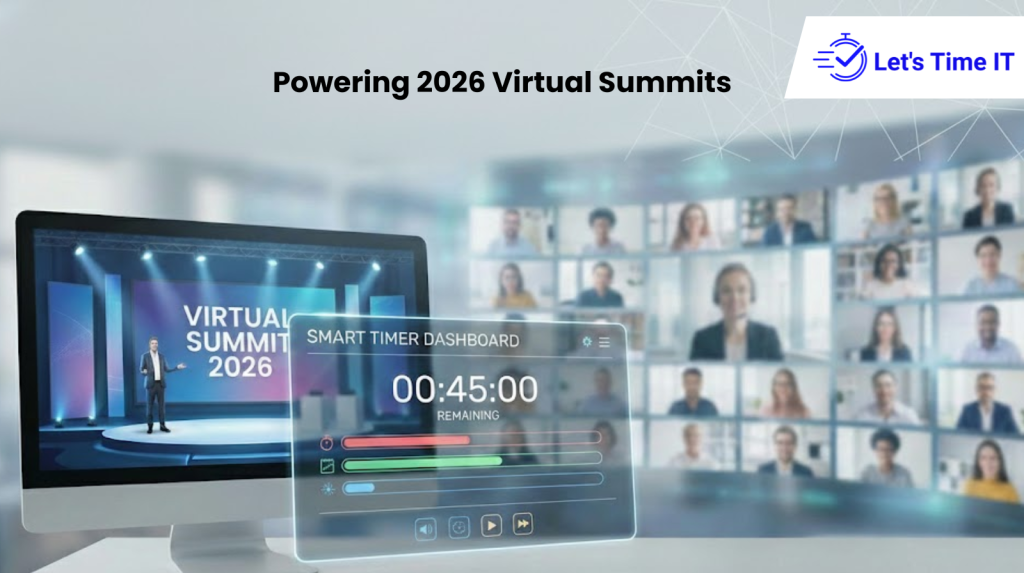
New Year, New Precision: Every Virtual Summit in 2026 Needs a Smart Timer
The calendar flips to 2026, and the virtual event world is buzzing again.
But this year feels different with smart timer.
The expectations are higher, attention spans are shorter, and every organizer knows timing isn’t just part of the plan anymore, it is the plan.
Whether you’re running a global leadership summit, a virtual product launch, or a hybrid marketing conference, staying on schedule can make or break your audience experience. And that’s where smart timer dashboards are changing the game.
Tools like Let’s Time IT help event organizers manage every session with military precision by providing an easy, central dashboard for countdown timer for speakers, sessions, and webinars that can be controlled remotely and discreetly.
Let’s dive into why smart timers are becoming essential for every virtual summit in 2026 and how you can use them to transform the way your events flow.
The New Era of Virtual Events: Precision Is the New Luxury
Remember when a few extra minutes in a session didn’t matter?
In today’s fast-paced digital world, every second counts.
Virtual and hybrid summits now compete not just for attendance, but for attention. Attendees log in expecting well-paced content, clean transitions, and zero technical hiccups. A few minutes of delay or confusion can lead to hundreds of people dropping off.
This is why timing has evolved from an afterthought to a core strategy.
A well-planned event isn’t just about what’s being said, it’s about when and how long it’s being said for.
And with year-end recaps, New Year summits, and corporate kick-off events on the horizon, 2026 is all about precision, not pressure.
Why Traditional Timing Methods No Longer Work
You might think a simple stopwatch or on-screen timer is enough but managing multiple sessions, speakers, and stages is a whole different challenge.
Here’s what typically goes wrong:
- Each speaker runs on a different schedule.
- The backstage team struggles to sync timers.
- Webinar hosts can’t control session lengths remotely.
- Attendees get restless when sessions go overtime.
That’s where smart timer dashboards step in.
They centralize all timers into one intuitive platform allowing you to control everything in real time, across multiple sessions and devices.
With Let’s Time IT, you can start, pause, and manage all your countdown timer for sessions from a single dashboard. You’ll never need to chase presenters or manually sync clocks again.
What Is a Smart Timer Dashboard, and Why Does It Matter?
A smart timer dashboard is exactly what it sounds like a digital control center for all your event timers.
It allows you to:
- Set up timers for multiple sessions or speakers.
- Display timers on-screen, backstage, or privately to presenters.
- Control countdowns remotely, from anywhere.
- Send visual alerts when time is almost up.
- Track how long each session actually runs.
For large-scale summits or webinars, this isn’t just convenient, it’s essential.
It helps you keep your entire event aligned, no matter how many parallel tracks or global time zones are involved.
Let’s Time IT makes this process even smoother. It’s fully browser-based, meaning there’s no installation, no coding, and no confusion, just instant control.
The Real Problem: Time Drift in Virtual Summits
Event professionals often talk about “time drift” when sessions gradually start running behind schedule.
One speaker goes a few minutes over, a Q&A extends too long, and before you know it, your closing keynote is starting 30 minutes late.
In physical venues, you can often adjust with breaks or stage cues. But in virtual summits, attendees have tight schedules.
When you go over time, they don’t wait, they simply leave.
A webinar timer helps prevent exactly that.
By displaying clear countdowns to speakers and moderators, everyone stays aligned. It’s the quiet backstage partner that keeps your virtual stage running like clockwork.
How Let’s Time IT Brings Precision to Your 2026 Events
Let’s Time IT isn’t just another timer app, it’s an event management assistant built for serious organizers.
Here’s how it streamlines your summit workflow:
- Set It Up in Seconds – Create timers for each session or speaker right from your dashboard.
- Customize Duration – Choose how long each segment should run, from 5-minute intros to 60-minute keynotes.
- Remote Control Access – Manage all timers from anywhere no need to be in the same room or studio.
- Multi-Session Management – Handle multiple concurrent sessions with separate timers for each.
- Subtle Alerts – Send visual cues to presenters without interrupting their speech.
- Data Insights – Track time usage and delays for post-event optimization.
This means no last-minute scrambles or awkward transitions. Everything runs in sync, every time.
Why 2026 Virtual Summits Need Smart Timers More Than Ever
The future of virtual events isn’t just about creativity, it’s about coordination.
As hybrid and global summits continue to grow, timing synchronization becomes more complex.
Here’s why a timer for presenters is becoming indispensable:
- Remote presenters are spread across time zones.
- Audience attention spans are shrinking.
- Live translations and AV support require exact timing.
- Sponsors expect premium, structured sessions.
A smart timer dashboard solves all of this quietly in the background.
Your speakers focus on delivery. Your operations team stays calm. Your audience enjoys a perfectly timed experience.
The Magic of Remote-Controlled Countdown Timers
The beauty of modern event tech lies in control and nothing offers that better than a remote-controlled countdown timer.
With Let’s Time IT, you can:
- Adjust session lengths mid-event.
- Start or pause timers instantly.
- Sync all countdowns across multiple screens.
- Manage speakers from backstage or remotely.
It’s like having a virtual command center that ensures no one ever goes overtime again.
Your 2026 event doesn’t just run, it flows.
How to Add Timers Across Event Platforms
One of the biggest strengths of Let’s Time IT is its flexibility.
It works across platforms whether you’re using Zoom, Microsoft Teams, Hopin, or Webex.
Here’s how you can easily add timers to your events:
- Create a session timer in your Let’s Time IT dashboard.
- Copy the display link or QR code.
- Share it directly with your speaker or embed it in your presentation window.
- Optionally, integrate timers into your AddEvent calendar or add to event workflow for seamless scheduling.
Now, when the session starts, both your team and the speaker see the same timer in real time ensuring perfect coordination.
Timers That Keep Speakers Calm and Confident
Speakers love freedom but they also appreciate structure.
Having a clear timer on their screen helps them focus on delivery instead of worrying about when to wrap up.
A timer for speakers from Let’s Time IT is discreet and intuitive. It doesn’t interrupt their flow, it quietly guides them.
In fact, most speakers say it helps them stay more confident, organized, and natural on stage.
It’s a small tool that delivers a huge impact.
A Countdown Timer That Works for Every Role
Smart timer dashboards aren’t just for tech teams. They bring value across the entire event ecosystem:
- For Marketing Teams: Keeps sessions running to the exact schedule for audience retention.
- For CXOs and Moderators: Maintains flow and discipline in leadership events.
- For Operations Teams: Simplifies backstage coordination.
- For Delegate Managers: Reduces complaints about delays and extended sessions.
A countdown timer for webinar sessions ensures everyone from the CEO to the AV operator is working in sync toward a flawless event experience.
Using Timers for Better Audience Engagement
Audience engagement often drops when sessions run too long or overlap.
With Let’s Time IT, you can design smoother, tighter schedules that respect audience time.
You can even display public countdowns before each session begins creating anticipation and keeping attendees informed about what’s next.
It’s an easy way to add professionalism to your virtual lobby or holding screens.
And when people feel your event respects their time, they’re far more likely to stay, interact, and return next year.
Data-Driven Precision: Learn from Every Event
Here’s something many organizers overlook, timers don’t just manage time; they measure it.
Let’s Time IT’s reporting tools help you analyze how your event actually performs:
- Which sessions went overtime?
- Which presenters stayed perfectly on track?
- What’s your average delay per day or stage?
These insights help you plan future events better, create realistic agendas, and set expectations with presenters upfront.
In 2026, data-driven timing isn’t just nice to have, it’s the standard for elite event operations.
The New Benchmark: Discreet and Scalable Timing Control
Your virtual event might involve 10 sessions or 100, the complexity shouldn’t matter.
Let’s Time IT allows you to scale seamlessly:
- Manage multiple countdowns across concurrent stages.
- Assign moderators to specific sessions.
- Use a single dashboard to oversee your entire day’s flow.
And because it’s discreet, you can control everything quietly without distracting your audience or disrupting the speaker.
That’s the beauty of a truly smart timer dashboard, it blends automation, visibility, and control into one elegant solution.
Real-Life Example: The Global Marketing Summit 2026
Let’s take a quick look at how this works in action.
A global marketing agency hosted a virtual “New Year Kickoff Summit” with 20 sessions, 12 speakers, and an audience of 8,000.
In previous years, sessions constantly ran over, and attendees complained about inconsistent timing.
In 2026, they switched to Let’s Time IT.
Here’s what happened:
- Each speaker had their own countdown timer for speakers visible privately on their screen.
- The backstage team managed all sessions remotely.
- Delays dropped by 90%.
- Engagement scores went up by 35%.
- The entire event wrapped up exactly on time.
That’s the power of precision and the difference a smart timer can make.
Your 2026 Events Deserve Smarter Timing
As we enter 2026, timing is no longer optional, it’s a strategic smart timer.
The best virtual summits are those that respect their audience’s time, keep their speakers confident, and maintain professional polish from start to finish.
A countdown timer for sessions or webinar timer might seem like a small detail but it’s the foundation of a well-run event.
And with Let’s Time IT, you can do it all easily, remotely, and beautifully.
So, as you plan your New Year events, remember:
Precision isn’t just about seconds on a clock. It’s about creating experiences that flow, engage, and leave a lasting impression.