Best Strategies for Managing Timing Across Multi-Session Conferences
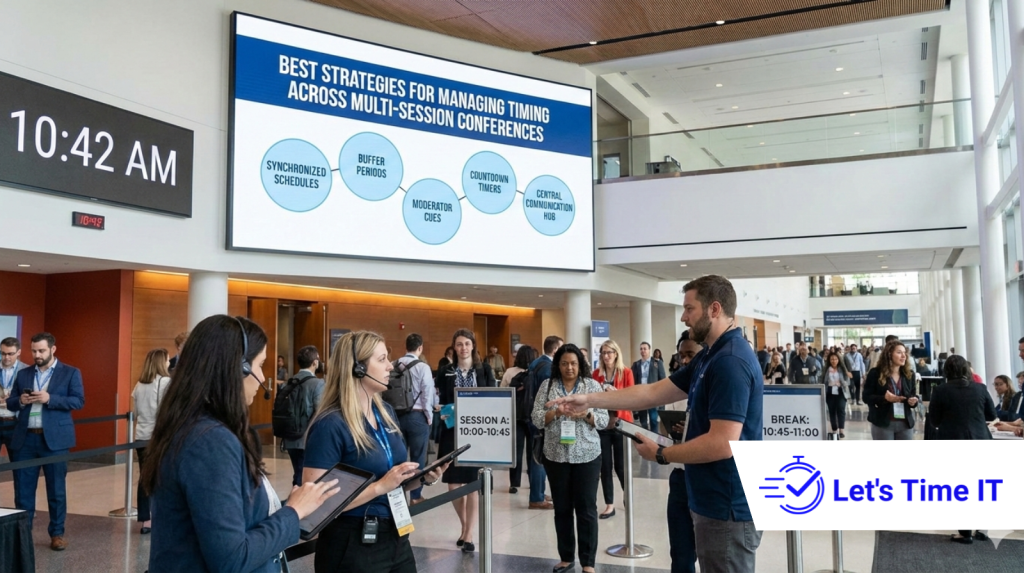
Best Strategies for Managing Timing Across Multi-Session Conferences
Running a multi-session conference is not easy. You may have multiple stages, parallel tracks, different speakers, and both in-person and virtual audiences. One small delay in one session can affect the entire event schedule.
This is why timing is one of the most critical elements of successful conferences. Whether it’s a conference timer, a countdown timer for stage, a countdown timer for speakers, or an overall event timer, having a strong timing strategy keeps everything running smoothly. Modern events now rely on a countdown timer system to avoid chaos and deliver a professional experience.
In this blog, we’ll walk through practical and proven strategies to manage timing across multi-session conferences and how tools like Let’s Time IT quietly support organizers in doing this at scale.
Why Timing Matters So Much in Multi-Session Conferences
In a single-session event, timing issues are manageable. But in multi-session conferences, timing problems multiply quickly.
When sessions don’t end on time:
- Speakers in the next session start late
- Attendees miss content
- Virtual audiences drop off
- AV and production teams struggle
Good timing keeps energy high, transitions smooth, and audiences confident in your event.
Common Timing Challenges Organizers Face
Before fixing timing issues, it’s important to understand where things usually go wrong.
1. Speakers Going Over Time
Many speakers underestimate how long they talk. Without a visual reference, they don’t realize they are running late.
2. Poor Session Transitions
Moving people between halls or stages takes time. If this isn’t planned, sessions overlap.
3. Multiple Stages, No Central Control
When each stage manages time differently, the conference feels unorganized.
4. Hybrid Event Delays
Remote speakers and virtual sessions often start late due to technical delays.
Build a Timing-First Conference Plan
The best conferences treat timing as a core part of planning not an afterthought.
Plan Session Durations Carefully
Avoid packing sessions too tightly. Leave room for Q&A and transitions.
Assign Timing Ownership
Decide who controls session timing moderators, operations teams, or a central command.
Communicate Expectations Clearly
Let speakers know their exact time limits well in advance.
Why Visual Timers Work Better Than Verbal Reminders
Verbal reminders like “2 minutes left” can disrupt speakers and feel unprofessional. Visual timers solve this problem.
A visual countdown timer for speakers allows presenters to:
- See remaining time clearly
- Adjust naturally without stress
- Stay focused on content
This is especially helpful for keynote speakers and panel discussions.
Centralized Timing for Multi-Stage Conferences
When conferences have multiple halls or tracks, timing must be controlled centrally.
Using a remote-controlled countdown timer allows organizers to:
- Start and stop timers across stages
- Make real-time adjustments
- Maintain consistency across sessions
This avoids confusion and keeps the entire event aligned with the master schedule.
Choosing the Right Timer Setup
Different sessions need different timing approaches.
Stage Sessions
Large stages benefit from a visible stagetimer that speakers can easily glance at.
Workshops and Panels
Smaller rooms may need discreet displays that don’t distract participants.
Virtual Sessions
Online events need timers that work seamlessly with streaming platforms.
A flexible setup ensures every session type stays on track.
Integrating Timers Into the Event Setup Process
Timing should be part of your event setup not added at the last minute.
When organizers use Countdown timer for addevent or add to event, timers become part of the session configuration itself. This ensures:
- Every session has predefined timing
- Speakers know what to expect
- Operations teams stay organized
Rehearsals should always include timing practice.
Managing Live Sessions Without Interruptions
During live sessions, things don’t always go as planned. Good timing tools allow you to adapt.
With a countdown timer for events, organizers can:
- Extend sessions slightly if needed
- Reduce time without interrupting speakers
- Keep later sessions protected
This flexibility is critical in real-world conference environments.
Timing Strategies for Hybrid Conferences
Hybrid events add another layer of complexity.
Align Physical and Virtual Sessions
Ensure both audiences experience sessions at the same pace.
Handle Remote Speaker Delays
Visual timers help remote speakers self-manage time even with technical delays.
Avoid Virtual Fatigue
Precise timing helps keep virtual audiences engaged and prevents drop-offs.
How Let’s Time IT Helps Conference Teams
Let’s Time IT is designed to support modern, multi-session conferences by providing:
- Discreet and professional countdown timers
- Centralized control for operations teams
- Support for conferences, meetings, and webinars at scale
It works quietly in the background, helping organizers focus on the event experience rather than the clock.
Common Timing Mistakes to Avoid
Even experienced teams make these mistakes:
- Relying on verbal cues only
- Ignoring transition time
- Not rehearsing with timers
- Treating timing as a last-minute task
Avoiding these mistakes improves both speaker confidence and audience satisfaction.
The Future of Conference Timing
As conferences grow larger and more complex, timing will become even more important. The future will focus on:
- Smarter, centralized timing systems
- Better integration with event platforms
- Data-driven improvements for future planning
Professional events will be defined by how smoothly they run and timing is at the center of that experience.
Great Conferences Respect Time
A successful multi-session conference is not just about great speakers and content. It’s about respecting everyone’s time, speakers, attendees, and teams.
With the right strategies and reliable timing systems, organizers can deliver events that feel calm, professional, and well-managed. Tools like Let’s Time IT make it easier to control timing discreetly and at scale, ensuring every session starts and ends exactly when it should.