A Practical Look at Modern Event Time Management
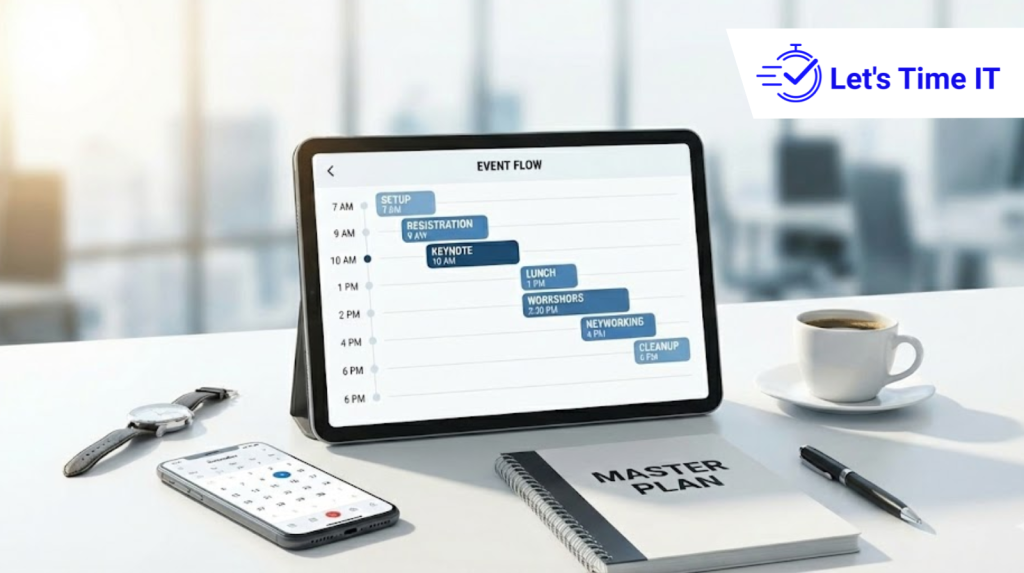
A Practical Look at Modern Event Time Management
Modern event time management has become more important than ever. Whether it’s a webinar, a multi-track conference, a leadership meeting, or a large offline show, timing defines the entire experience. Today’s audiences expect events to run smoothly, speakers expect the right support, and organizers expect tools that help them stay in control. That’s why many teams now rely on tools like a countdown timer for events or a countdown timer for speakers to keep everything on track.
At Let’s Time IT, we strongly believe that modern time management must be centralized, discreet, and scalable, especially when it comes to sessions that involve strict schedules. In this blog, we take a practical look at how time is managed at events today, how the needs have evolved, and what organizers can do to improve the overall experience for speakers, attendees, and backstage teams.
Why Time Management Defines Today’s Events
Events today move extremely fast. Speakers come and go, sessions overlap, panels run late, Q&A sometimes stretches longer, and last-minute changes are almost guaranteed. If timing goes off track, the entire event feels unprofessional. Audiences lose interest, speakers feel rushed, and organizers struggle to regain control.
Modern audiences have high expectations. They want sessions that start and end on time, smooth transitions, and events that respect their schedule. This is why timekeeping has shifted from manual methods to precise systems. Tools like a timer for presentation or a stage timer help organizers quietly manage each segment without disturbing the flow.
At Let’s Time IT, our viewpoint is simple: timing should be controlled from one place, adjusted discreetly, and synced across all devices used by speakers and backstage teams.
The Evolution: From Manual Signals to Intelligent Timing
If you think back to traditional event management, time was often handled through hand gestures, printed agendas, or someone whispering “five minutes left” to speakers. This method might work for a small room with 10 people, but not for modern events with multiple rooms, hybrid options, sponsors, and hundreds of participants.
As events became more complex, manual timekeeping created problems:
- Speakers often ran over time without realizing it.
- Backstage teams struggled to keep sessions synchronized.
- Audience members experienced delays between sessions.
- Sponsors lost the value of their dedicated slots when earlier sessions ran late.
- Technical teams had to stretch or shrink segments on the spot.
Digital timing removed these issues by giving organizers the ability to control sessions more precisely. That is why tools like a conference timer and remote timing dashboards have become essential, not optional.
What Modern Time Management Really Means
Modern time control goes beyond displaying numbers on a screen. It is built on four core principles that together create a smooth event experience.
1 Real-Time Visibility for Everyone
Speakers perform better when they know exactly how much time they have. Backstage teams coordinate better when the timer is visible to them as well. And moderators lead better discussions when they have clear time cues.
This is why visibility matters. A digital timer for presentation is not just a clock, it is a shared reference point for all event roles. Everyone sees the same time, updated in real-time, reducing confusion and last-minute instructions.
2 Precision Without Disruption
One of the biggest advantages of digital timing is subtlety. Changes can be made silently, without distracting the speaker or audience.
For example, if a speaker finishes early, the next session can begin sooner. If a VIP keynote needs extra time, organizers can extend the timer without making it obvious.
Let’s Time IT follows this principle closely, ensuring updates happen quietly and professionally.
3 Flexibility for Rapid Agenda Changes
Event organizers know that no agenda survives exactly as planned. New questions come up, sessions start late, speakers request more time, or attendees require longer breaks.
Modern timing tools make flexibility easy. When schedules change, the timer adapts instantly for all participants. No one needs to update printed cards or run backstage to relay messages.
This flexibility is especially useful for multi-track conferences and hybrid formats.
4 Automation to Reduce Manual Load
Automation reduces stress for organizers. Instead of manually notifying speakers or resetting timers, the system handles transitions automatically.
This helps especially when:
- Sessions start back-to-back
- Technical staff must follow strict timing
- Day-long summits require consistency
- Timing needs to be synced across rooms
Automation makes events feel organized and controlled, even when things change behind the scenes.
Time Management Across Different Event Formats
Different event formats have different timing needs. Let’s break them down.
1 Webinars and Online Events
In webinars, attention spans are short, and viewers expect tight timing. Long sessions make people drop off. That’s why digital timekeeping is so important.
A countdown timer for webinar helps speakers stay on track and reduces unnecessary overruns. It also keeps transitions clean between presenters and ensures the audience receives a clear, uninterrupted experience.
Let’s Time IT enables remote control, which is essential for virtual-first events. Organizers can adjust time from anywhere, ensuring a smooth session flow.
2 Conferences and Multi-Track Summits
Large conferences have the most demanding timing challenges. With multiple rooms, dozens of speakers, and overlapping sessions, even a single delay can cause ripple effects throughout the event.
Tools like a stage timer or conference timer allow organizers to keep timing consistent across rooms. Even if sessions differ in length, timing remains aligned with the overall event’s schedule.
Let’s Time IT supports this multi-room structure, helping large summits run like clockwork.
3 Workshops and Training Sessions
Workshops require structured timing because each segment discussion, activity, demonstration has a specific role.
Trainers appreciate a timer for presenters because it helps them cover all planned content without rushing. It also creates a good learner experience by maintaining a predictable pace.
4 Live Stage Shows and Physical Events
In offline stage events, timing is everything. Lighting, sound cues, stage transitions, speaker entry, and panel exits all depend on accurate timing.
Digital timing tools help backstage crews run everything smoothly. Remote controls make adjustments possible without interrupting the live flow.
The Transformative Role of Remote Timing Tools
Remote timing has changed event management in a big way. Organizers no longer need to run from one room to another or rely on hand signals. With remote tools:
- Time can be updated instantly
- Timers stay synced across devices
- Session transitions become seamless
- Speakers receive clear signals
- Backstage teams stay aligned
Let’s Time IT is designed around this idea: timing should be controlled from one centralized dashboard, regardless of event size or location.
Adding and Managing Timers Across Platforms
Organizers often need to add timers across multiple platforms from offline stage screens to online meeting tools. Here’s how it works at a practical level.
1 Adding Timers to Virtual Event Platforms
Most platforms allow embedding or displaying timers through simple links. Typically, organizers:
- Open their timer dashboard
- Generate a timer link
- Share it with speakers or moderators
- Display it on backstage screens or presenter view
This is especially useful because presenters often join from different locations.
2 Timers for AddEvent or Add to Event Workflows
For sessions added through AddEvent or add-to-calendar tools, organizers often include timing links or reminders. When users click “Add to Calendar,” they not only save the session but can also view a Countdown timer for addevent or a similar reference to help them know when the session goes live.
This improves attendance because participants get a time reference along with the session details.
3 Adding Timers for Offline Stage Environments
In physical venues, timers are usually displayed on:
- Confidence monitors
- Backstage screens
- LED panels
- Wireless devices
Remote adjustment is extremely helpful in these setups. If a speaker is running late, the timing team can adjust the schedule from a control room without sending someone onstage.
Improving the Speaker Experience
Speakers want to feel prepared and confident. Time mismanagement often leads to stress, rushed delivery, or incomplete content.
Clear time cues visible, consistent, and discreet make all the difference. A simple glance at the timer gives speakers clarity about pacing and progress. They deliver better, stay focused, and use their time wisely.
Let’s Time IT builds its system around this idea: time tools should support speakers, not distract them.
Enhancing the Audience Experience
When sessions run late or transitions become slow, the audience feels the impact immediately. Delays lower engagement, reduce satisfaction, and create a sense of disorder.
Good timing ensures:
- Sessions start on time
- Breaks don’t drag
- Panels stay organized
- Keynotes maintain their impact
- Attendees trust the event’s professionalism
Audience experience improves dramatically when organizers have strong time management practices in place.
The Organizer’s View: Managing Complexity With Simplicity
Organizers deal with countless moving parts logistics, speaker flow, AV, audience needs, sponsor commitments, and last-minute changes. Time management becomes the anchor that holds everything together.
With a controlled timing system:
- Stress reduces
- Coordination becomes easier
- Sessions stay aligned
- Back-to-back events remain on track
- Technical teams work more efficiently
Let’s Time IT believes organizers deserve tools that simplify rather than complicate the process.
Let’s Time IT’s Perspective on the Future of Event Timing
From our experience working with different event formats online, offline, hybrid we believe future time management will be:
Smart
Timers will adapt dynamically to changes in agendas, speaker delays, or audience needs.
Centralized
One place to manage time across multiple rooms, stages, speakers, and sessions.
Invisible
The audience should feel the impact, not see the process. Timing should be discreet yet effective.
Connected
All devices speaker screens, backstage monitors, control rooms—should be synced instantly.
Scalable
Whether it’s a 10-person webinar or a 10,000-person summit, timing tools should work effortlessly.
Let’s Time IT is built on these principles, offering a modern approach to timing that truly supports organizers, speakers, and event teams.
Time Is the Core of Every Successful Event
Event time management is not just about keeping a schedule. It shapes the entire event experience from how speakers perform to how attendees feel. Modern events require smarter, more flexible, and more connected timing solutions that can adjust quickly and work silently behind the scenes.
By using structured timing tools and following intelligent time practices, organizers can elevate their events dramatically. Whether it’s a busy conference, a live stage show, or a virtual session, the right timing approach helps everything run smoothly.
Let’s Time IT supports this modern view of time management helping events become more organized, more predictable, and more professional, no matter their size.