How to Keep Speakers on Time During Conferences and Webinars
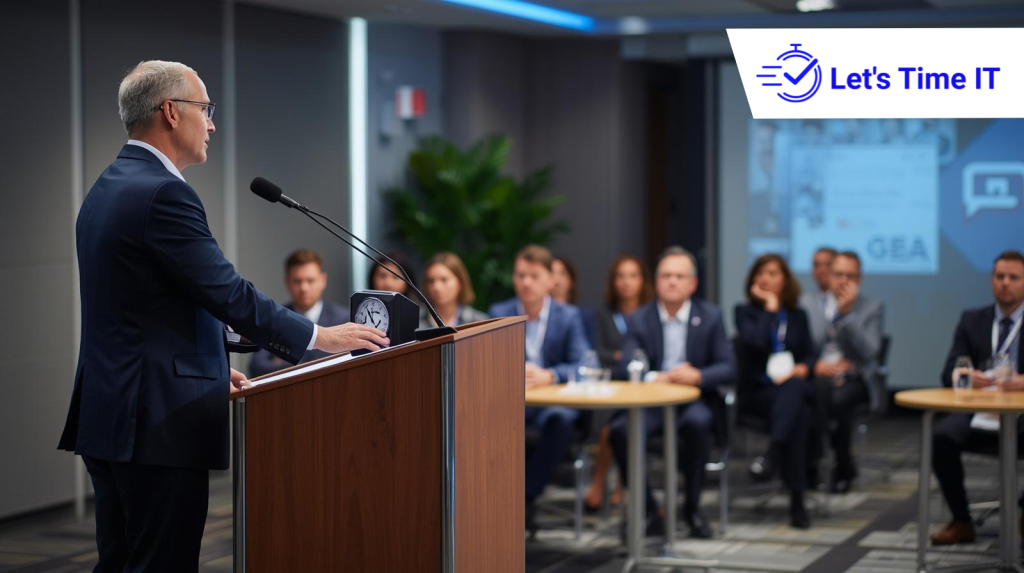
How to Keep Speakers on Time During Conferences and Webinars
Every event organizer knows the challenge: a speaker goes over time, the next session gets delayed, and suddenly the entire agenda starts slipping. Speakers on time are managing a global conference, a leadership summit, or a virtual webinar series, time management is one of the most critical aspects of delivering a professional event experience.
One effective way organizers maintain session discipline is by using a countdown timer that helps presenters clearly see how much time they have remaining. Tools such as a stage timer or an event timer help keep presentations structured without the need for constant intervention from moderators or event staff. For online sessions, a webinar timer can quietly guide speakers and prevent sessions from running longer than planned.
Today, many organizers use modern solutions like remote-controlled countdown timer systems to manage multiple sessions discreetly across rooms, stages, and virtual platforms. This approach helps maintain professionalism while ensuring speakers stay aligned with the event schedule.
In this guide, we’ll explore practical strategies to keep speakers on time and explain how event teams can scale time management across conferences, webinars, and hybrid events.
Why Speakers Often Run Over Time
Even experienced presenters sometimes exceed their allotted time. Understanding why this happens helps organizers prevent it.
1. Lack of Clear Visual Time Indicators
When speakers cannot easily see how much time remains, they rely on internal pacing, which is often inaccurate.
2. Overloaded Presentations
Speakers sometimes try to fit too many slides or topics into a short session.
3. Audience Interaction
Q&A sessions, audience polls, or discussions can quickly extend the duration of a presentation.
4. No Structured Session Control
Without a clear timer for speakers, presenters may not realize they are approaching the end of their allocated time.
Why Time Discipline Matters for Events
Keeping sessions on schedule is not just about punctuality. It directly impacts the overall event experience.
1. Protecting the Event Agenda
When one presentation runs late, every session that follows is affected.
2. Maintaining Audience Engagement
Attendees expect events to follow the published schedule. Delays can reduce trust and engagement.
3. Respecting Other Speakers
Every presenter deserves the time slot they were promised.
4. Improving Event Professionalism
Consistent timing demonstrates that the event is well organized.
Proven Strategies to Keep Speakers on Time
Event professionals use a combination of preparation, technology, and communication to maintain schedule discipline.
1. Set Clear Speaker Expectations
The first step begins long before the event.
Provide presenters with:
- Their exact session duration
- The format of the session
- Time allocated for Q&A
- Clear signals indicating when their time is ending
For example:
- 20 minutes presentation
- 5 minutes Q&A
This helps speakers structure their content appropriately.
2. Share the Session Timing Plan
Send speakers a detailed agenda showing:
- Session start time
- Speaker duration
- Moderator transition time
- Q&A period
When speakers see the overall event flow, they are more likely to respect the schedule.
3. Conduct Speaker Briefings
Many successful conferences hold speaker briefings before the event.
During this briefing, organizers can explain:
- Session timing expectations
- How the countdown timer for presentation works
- When speakers will receive visual time cues
This ensures presenters are not surprised during the session.
4. Use Visual Timing Signals
Visual timing is one of the most effective ways to guide speakers.
Common signals include:
- Green light: session started
- Yellow light: 5 minutes remaining
- Red light: time is over
However, many modern events now use digital countdown timer for presenters systems instead of manual signals.
Using Countdown Timers to Manage Speaker Time
Technology has made speaker time management far easier than traditional methods.
A countdown timer for events provides speakers with a clear, visible display of the time remaining in their session.
This helps presenters:
- Pace their presentation
- Adjust slides if necessary
- Wrap up on time
For organizers, it removes the need to interrupt speakers or hold up signs.
Benefits of Using a Remote-Controlled Timer System
Large conferences and hybrid events often involve multiple rooms or sessions running simultaneously.
A remote-controlled countdown timer allows event teams to manage timers centrally without disrupting the presentation.
Key benefits include:
1. Centralized Control
Event managers can start, pause, or reset timers from a control panel.
2. Discreet Operation
Speakers receive visual timing guidance without interrupting the flow of their talk.
3. Multi-Session Management
Timers can be deployed across multiple rooms, webinars, or stages simultaneously.
4. Consistent Session Timing
Every session follows the same time structure.
Solutions like Let’s Time IT allow organizers to schedule and manage timers across conferences and webinars at scale while keeping the process discreet for speakers and audiences.
Adding Timers to Different Event Platforms
Different event formats require different approaches to displaying timers.
Timers for Physical Conferences
At in-person events, organizers often display a Stagetimer or large screen timer facing the speaker.
Best practices include:
- Position the timer where the speaker can see it easily
- Ensure it is not distracting to the audience
- Synchronize it with the session start time
Timers for Webinars
For virtual sessions, timing tools can be integrated into the webinar interface or displayed on the presenter’s screen.
A timer for speakers helps presenters maintain pace during online sessions where moderators cannot easily intervene.
Timers for Hybrid Events
Hybrid conferences require synchronized timing across both physical and digital environments.
An event timer ensures:
- On-stage presenters stay within their slot
- Online speakers follow the same timing structure
- Virtual audiences experience smooth transitions between sessions
How Event Teams Scale Timer Management
Large events often involve dozens or even hundreds of sessions.
Managing timing manually becomes difficult.
Modern platforms allow organizers to:
- Pre-schedule timers for each session
- Assign timers to specific speakers
- Control timing across multiple tracks
- Adjust session duration in real time
Using tools like Let’s Time IT, event teams can create and manage timers for conferences and webinars while maintaining complete control from a single dashboard.
Conclusion
Keeping Speakers on time is one of the most important responsibilities of event organizers. When sessions run smoothly, audiences stay engaged, speakers remain confident, and the overall event experience improves significantly.
By combining clear communication, structured agendas, and modern timing solutions, event teams can maintain precise schedules even during complex conferences and webinars.
Implementing a countdown timer system, supported by centralized control tools like Let’s Time IT allows organizers to manage speaker timing professionally, discreetly, and at scale.